
Ever wonder if a simple touch of your finger could unlock your whole world? Biometric gadgets use unique traits, like your fingerprint or face (how you look every day), to give you quick, safe access. This neat tech swaps out clunky passwords for a fast, easy way to keep things secure. You can see these devices on smartphones or in buildings that need extra protection. Keep reading to learn how this cool technology is changing the way we protect our data and make life simpler.
Biometric Device Elevates Secure Access
Biometric devices are tech that checks your unique features, like fingerprints, facial details, eye patterns (iris patterns), palm prints, and even voice, to identify you. They let you skip the old passwords by giving you a personal check every time. Think of how a fingerprint scanner just needs a quick touch to confirm it's you. And as sensor tech improves, these gadgets are popping up everywhere.
There are two main kinds. Some devices need you to touch them, like fingerprint or palm scanners, while others work without any contact, such as facial recognition terminals or iris scanners. This combo helps security systems fit right in, whether it's on your smartphone or in a secure office.
Overall, these systems are a smart way to keep things safe. They can replace or work with passwords, making it easier to protect your data while keeping access fast and simple. Biometric checks cut down on unwanted entry and smooth out the user experience. It's neat to see them on devices like smartphones and in well-guarded places, showing just how much they're shaping everyday security.
Types of Biometric Devices: Fingerprint, Facial, and Iris Scanners

Fingerprint scanners come in two main types: optical and capacitive. Optical scanners use LED light to highlight the unique ridges of your fingerprint, while capacitive scanners pick up tiny changes in electrical current (this is because our skin naturally conducts electricity differently). These devices are rated by DPI (dots per inch), which tells you how finely they capture details. You'll see these scanners on smartphones, secure doors, and other everyday gadgets. It’s like the scanner takes a quick, sharp photo of your fingerprint, confirming you are really you.
Facial recognition terminals work by mapping your face with infrared dots, about 30,000 dots in some cases. This method captures the unique curves and details of your face. The tech works best when the lighting is good and your face is properly aligned, so you get an almost perfect digital portrait. It’s kind of like having your photo taken under perfect lighting where even the smallest features are clear. Pretty neat, right?
Iris scanners usually take two quick pictures of your eye to get a detailed pattern. This process helps keep mistakes at bay with an incredibly low false rejection rate (under 0.1%) and a false acceptance rate of less than 0.0001%. Because every iris looks different, these scanners are trusted in high-security areas. Imagine a camera snapping a super detailed image of your eye in a split second, making sure only you can get through.
Biometric Device Benefits and Limitations
Biometric devices give you fast access and smart security while you skip the hassle of remembering passwords. They use advanced sensors that almost never mess up – like, they reject the wrong person less than one time in a thousand and mistakenly accept someone even less often. As more people use them, prices drop, making these systems a smart, budget-friendly choice for checking who you are, whether you’re on your phone or somewhere else.
Here are some upsides:
- Really strong security that stops breaches
- No more juggling passwords
- Quick authentication that keeps everything moving fast
- Super low error rates for clear, accurate scans
- Costs that go down as more folks use them
But, there are a few downsides too:
- They can struggle with tough conditions like low light or extreme heat
- Signing up can take longer than just typing a password
- They might feel a bit gross, especially if you’re touching them a lot
- Without a check for real liveliness, some might trick the system
- Quality gadgets can cost quite a bit at first
So, you get the benefit of strong, password-free access while dealing with some challenges like sensitivity to light and weather and higher initial prices. Each of these points needs to be thought about when deciding if a biometric system is the right pick for quick and accurate identity verification.
Biometric Device Security and Privacy Concerns

Biometric devices use unique body features to keep things secure, but they also come with real privacy worries. They hold sensitive data that might be grabbed by the wrong people. Remember that 2015 breach at the U.S. Office of Personnel Management? It exposed 5.6 million fingerprints and left many people uneasy about never-ending identity theft. This goes to show that even systems that seem safe can be at risk without proper care.
Laws and rules now ask for strict protection of biometric data. Standards like GDPR and HIPAA make sure that all information is stored with strong encryption (a way of coding data so only the right people can see it) and that people agree clearly before any data is collected. In short, companies have to stick to best practices, quickly inform users if something goes wrong, and check their systems regularly. You can learn more about keeping sensitive data safe from this article on data privacy in digital health.
To stop identity fraud, experts say using several layers of security and keeping a close eye on sensors is important. Unlike passwords, if you lose or have your biometric data stolen, you can't just replace it. That's why it’s essential to have strong encryption and routine checks. Keeping these safety measures up-to-date is the key to handling constant risks and protecting privacy in scanning tech.
Biometric Device Applications Across Industries
Banking
Banks use fingerprint scanners to check your identity quickly. With a simple touch at an ATM, the system makes sure you are who you say you are. This fast check stops fraud and helps keep your account safe, matching your unique fingerprint every time.
Healthcare
In healthcare, biometric tools confirm who you are in a flash. They make it easy to pull up your health records right when you need them. A nurse might use a fingerprint or eye scan before giving you medicine or starting a procedure. This little scan helps avoid mix-ups and keeps your private info secure.
Government
Government services lean on biometric systems to run ID programs and verify who can get benefits. For example, facial recognition devices help make sure benefits go to the right person, whether you’re registering to vote or using public services. This clearcut method speeds up the process and cuts down on mistakes.
Retail & Transportation
Retail and transport businesses use biometric devices to make things run faster and smoother. Stores have self-checkout kiosks that use facial recognition, and airports sport automated boarding gates. Imagine walking by a scanner that instantly checks your identity, saving you time during a busy day.
Comparing Biometric Devices: A Buying Guide

When you’re in the market for a biometric device, it helps to look at a few key models side by side. You want to think about the sensor type, speed of capture, error rates when scanning, connectivity options, and what you plan to use it for. For example, MULTICHECK-E™ offers a super-fast scan using an FBI-approved fingerprint sensor along with a dual-infrared iris sensor (infrared helps see fine details). It captures in just 6 ms and has very low error rates, which makes it great for secure indoor spots.
If you need something that can handle rougher conditions, MULTICHECK-C™ is built tough. It comes with a strong fingerprint sensor, is made to absorb shocks, and connects through 4G, WiFi, and Bluetooth. That makes it a smart pick for work in the field.
Then there’s RapidCheck™. It uses both optical and capacitive fingerprint sensors (optical uses light; capacitive uses small electrical currents) to cover lots of different scanning needs. It also meets ISO/ANSI standards (international data rules), making it a solid choice for fast identity checks on the go.
Lastly, consider MultiTab™. This portable biometric tablet includes both fingerprint and iris cameras and features an 8-inch HD display along with a robust 8000 mAh battery. With connectivity options like GPRS, 3G, 4G LTE, WiFi, and Bluetooth, it’s ready for everything from field tests to acting as a mobile office.
| Device Model | Sensor Type | Capture Speed | FRR / FAR | Connectivity | Recommended Use |
|---|---|---|---|---|---|
| MULTICHECK-E™ | FBI-approved Suprema fingerprint & dual-infrared iris sensor | 6 ms | FRR < 0.1% / FAR < 0.0001% | Standard integration | High-security indoor settings |
| MULTICHECK-C™ | Durable fingerprint sensor | Rapid capture | N/A | 4G, WiFi, Bluetooth | Heavy-duty field use |
| RapidCheck™ | Optical or capacitive fingerprint sensor | Quick capture | N/A | Integrated (per system) | Portable identity checks |
| MultiTab™ | Fingerprint & iris cameras | Instant capture | N/A | GPRS, 3G, 4G LTE, WiFi, Bluetooth | Mobile biometric tablet use |
Comparing these systems makes it easier to pick a device that matches your needs. Whether you’re after top-notch verification or something that’s easy to carry, this guide should help you make a choice with confidence.
Integrating Biometric Devices: Installation and Best Practices
First, get your device securely enrolled. Think of it like setting up a new phone without the extra hassle of coding. You start by registering your hardware while making sure only trusted users can access it. Use safe methods to capture and store your data, and always send your information through encrypted channels so no one else can peek.
Then, hook up your device to the biometric software. Tools like the CloudABIS API work with fingerprints, finger-veins, faces, and irises. It’s a bit like connecting your phone to a safe Wi-Fi network, quick, smooth, and reliable. This API lets your device chat with other systems in just a few hours, making sure that every part of the process, from data collection to analysis, works together perfectly.
Finally, never forget regular maintenance. Just like your car needs an oil change, your device needs routine sensor checks and software updates. These regular tune-ups help keep data flowing securely and ensure everything stays accurate over time.
Future Trends in Biometric Device Technology
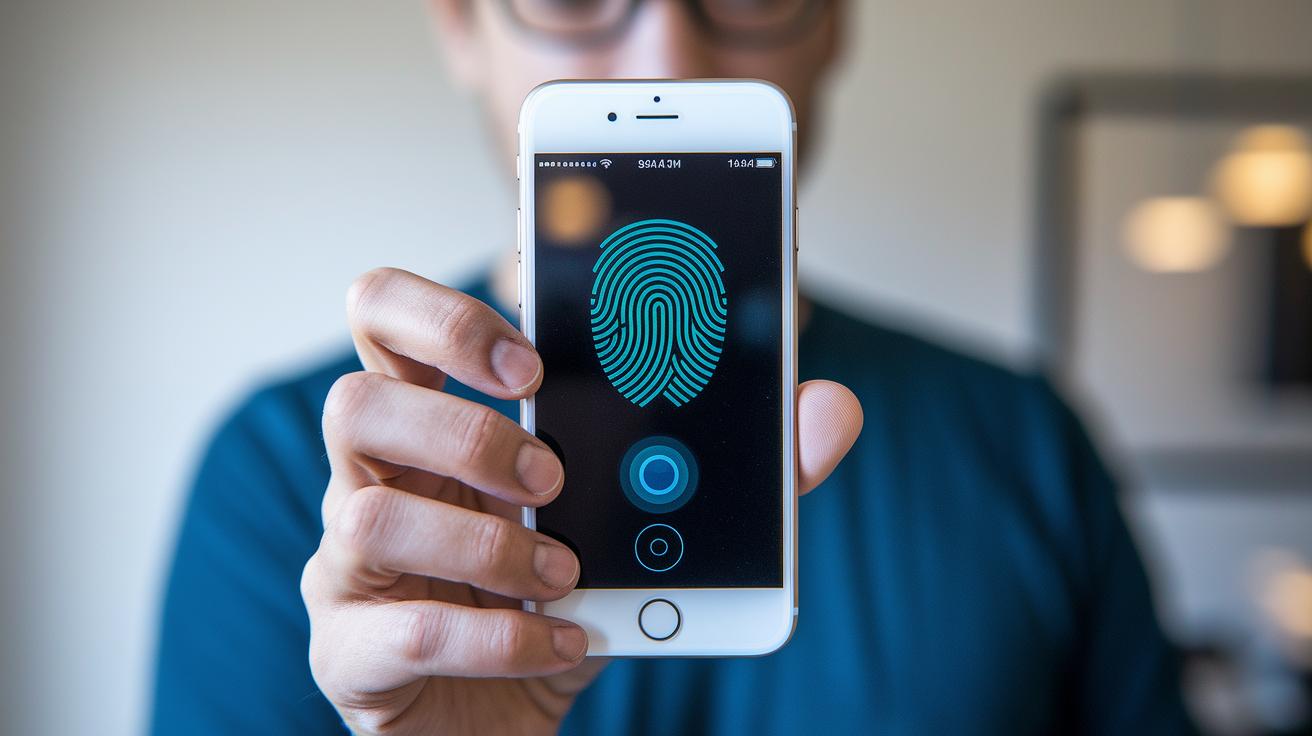
Hybrid devices are becoming more common as they mix fingerprint scans with quick facial or eye checks. These systems work like a backup, they use two ways to confirm who you are. If one check misses, the other is there to catch it. For example, a device might first scan your fingerprint and then take a quick look at your eye to be sure you're really there.
New multi-sensor systems are making things even smoother. They mix information from different sensors to cut down on mistakes. Imagine putting together a puzzle where every piece fits just right. That's how these systems work, creating a complete picture that makes your device more reliable.
Plus, smart tools like AI image analysis and cloud-based verification platforms are changing the way we do things. These tools learn from every scan and get better with time. They help lower false matches and even speed up the sign-up process, all without needing any complicated coding.
Final Words
In the action, we explored how a biometric device uses fingerprints, facial scans, and iris imaging to verify identity and secure systems. We walked through key types, benefits, limits, and best practices, from real-world examples to future trends.
Our review breaks down complex tech into clear steps. Each section made it easier to see how these tools can boost secure, smart health outcomes. Stay positive and ready to embrace safe, smart tech in your daily routine.
FAQ
What is the cost of biometric devices, including thumb scanners?
The price of biometric devices ranges based on features and quality. Thumb scanners and similar devices can cost anywhere from affordable to high-end, depending on accuracy and additional functions.
How are biometric devices used for attendance?
Biometric devices used for attendance verify individuals by scanning fingerprints or faces, making clocking in faster and reducing the chance for buddy punching.
How do biometric devices work with mobile devices?
Biometric devices on mobile platforms use fingerprint or facial recognition scans to confirm user identity, improving security and ease of access on smartphones and tablets.
What are some examples or a list of biometric devices?
Examples of biometric devices include fingerprint scanners, facial recognition terminals, iris scanners, and thumb scanners. These devices use unique traits to identify and verify individuals.
Is a biometric device considered an input or output device?
A biometric device is mainly an input device because it captures and processes human data, which is then used to verify identity without displaying information directly.
What are the advantages and disadvantages of biometric devices?
Biometrics offer quick, secure access without passwords but can struggle in poor conditions and may have slower enrollment times. This balance of security and convenience shapes their usage.
What are the four main types of biometrics?
The four main types of biometrics include fingerprint, facial, iris, and voice recognition. Each type uses a unique human trait to verify identity with varying accuracy levels.
How do you use a biometric verification device?
Using a biometric verification device involves enrolling your biometric data, then scanning your fingerprint, face, or iris when access is required, allowing the device to match your stored data.
What does it mean to have a biometric?
Having a biometric means that your personal unique traits, like fingerprints or facial features, are used to confirm your identity securely, replacing traditional passwords for safe access.


